Communication is at the heart of every successful education business. Language schools, private tutors, and online education providers must stay reachable for prospective students, current learners, parents, and partner institutions. A modern phone system built on VoIP technology offers the flexibility, cost savings, and professional features that education providers need to manage inquiries, coordinate classes, and build trust.
Why Language Schools and Tutors Need a Modern Phone System
Traditional phone lines can be expensive and inflexible, especially for schools that operate across multiple locations or offer online classes to international students. Language schools often experience seasonal enrollment spikes, which means they need a phone system that can scale up during busy periods without permanent infrastructure changes.
VoIP solves these challenges by routing calls over the internet. Schools can add or remove extensions as enrollment changes, set up local numbers in different countries to attract international students, and route calls to teachers who work remotely. Tutors who operate from home or shared spaces can use a professional business number on their mobile device, keeping personal and work communications separate.
For parents and adult students, calling a language school should feel easy and professional. Long hold times, unanswered calls, or confusing routing create frustration and can cause prospective students to choose a competitor. A well-configured VoIP system ensures that every caller reaches the right department quickly.
Key VoIP Features for Education Providers
Auto-attendants and interactive voice response menus help language schools manage high call volumes. Callers can press options for enrollment, class schedules, billing, or speak directly with an advisor. This reduces the workload on administrative staff and provides information around the clock.
Call forwarding and mobile apps are essential for tutors and online teachers who are not tied to a physical desk. A tutor can receive calls on a laptop, tablet, or smartphone, ensuring that student inquiries are never missed. Video conferencing integration also allows providers to switch seamlessly from a voice call to a virtual classroom session.
Voicemail-to-email and call recording support quality assurance and record-keeping. Schools can review calls with prospective students to improve sales techniques, record consent for program changes, or keep records of parent communications. Time-based routing ensures that after-hours calls are directed to voicemail or an on-call coordinator rather than ringing indefinitely.
How Online Education Providers Benefit from Cloud Telephony
Online education providers often serve students across time zones and continents. Cloud-based VoIP systems allow these businesses to establish local phone numbers in target markets, making it easier and cheaper for international students to call. Calls can be routed to admissions teams, academic advisors, or technical support staff regardless of where those employees are physically located.
Integration with customer relationship management platforms is another advantage. When a prospective student calls, the system can display their inquiry history, course interests, and previous interactions. This context helps advisors personalize conversations and close enrollments more effectively.
Cost control is also important for education startups and nonprofit institutes. VoIP typically costs less per line than traditional telephony, and there are no long-distance charges for internet-based calls. Budget saved on communication infrastructure can be redirected toward curriculum development, teacher training, or marketing.
New Rock Technologies offers VoIP and unified communication platforms that support the unique needs of education providers. From multi-site language schools to solo online tutors, our solutions deliver reliable calling, smart routing, and seamless mobile access so you can focus on teaching.
Upgrading to a VoIP phone system helps language schools and education providers stay organized, accessible, and professional. With the right features in place, you can improve the experience for students and parents while reducing administrative burden on your team.
A six-question scorecard for comparing platforms
Comparing platforms gets easier when you stop reading brochures and start writing down what your environment actually requires. Six questions cover most of the differences that matter once a system is running for a year.
- How much simultaneous calling must the platform sustain, and which sites have to keep working when their link drops?
- What analogue equipment is still in service, and must it survive the changeover untouched?
- Is recording required, and if so which calls fall inside that scope?
- Who looks after the system day to day, and do they need to travel to do it?
- Which business systems must exchange data with the phone system, and is that integration supported or merely possible?
- How long may the business run without voice service before it becomes an incident?
Written down before the first supplier conversation, these questions do most of the qualifying work on their own. They also give you a scoring sheet you can reuse at the second round, which is usually where the real differences surface.
What a credible vendor should show you in a demo
A demonstration shows you what a product can do. A good demonstration also shows you how it behaves when something unusual happens, which is the part that matters once the salesperson has gone.
- Register the endpoint types you will really use and watch how long each one takes and whether the steps are documented.
- Trigger a failover and listen to the explanation: a policy you can configure, or a fixed behaviour you simply accept.
- Search for an old recording on request and see whether the answer involves a menu or a direct result.
- Ask about upgrading under load and find out what remains available during the process.
- Ask for the management interface and explore it yourself before anyone offers to guide you.
The pattern to notice is whether the answers come with specifics. A representative who volunteers the limitations of a design is generally more trustworthy than one who describes everything as effortless.
Related reading on the Newrock site


 New ProductNew Rock is a digital solution provider of intelligent VoIP communication and cloud services, with products such as VoIP gateway, IP phone, IP-PBX, call recording solution, audio and video conferencing system, etc.
 Document Center
 Software downloadWe provide downloadable firm ware for OM series IP-PBX, MX series VoIP gateway, SX series enterprise SBC and other versions.
 Service Introduction
 FAQ


 Industry Trends


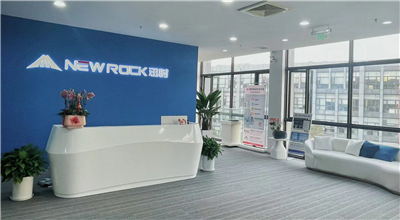 About New Rock
 Honor and Qualification
 Contact Us
 Online Message
 Become Partner
