

-
Products
- NewProductDetails
- IP PBX
- Terminals
- Services
- Software&App
 New ProductNew Rock is a digital solution provider of intelligent VoIP communication and cloud services, with products such as VoIP gateway, IP phone, IP-PBX, call recording solution, audio and video conferencing system, etc.
-
Support
- Document Center
- Software Download
- Service Introduction
- FAQ
- Message
 Document Center
We provide downloadable documents such as user manuals, product datasheet, product brochures, product leaflets, etc.
 Software downloadWe provide downloadable firm ware for OM series IP-PBX, MX series VoIP gateway, SX series enterprise SBC and other versions.
 Service Introduction
Together with our agents and distributors, we provide convenient local service and quality after-sales maintenance service. The standard service provided is 5×8 (5 days a week, 8 hours a day) technical service support, providing customers with maintenance, repair and remote technical support services through phone and e-mail.
 FAQ
The FAQ section summarizes the solutions to some problems in the installation, configuration and use of New Rock hardware and software products.
-
News
- Announcement
- News
- Industry trends
- Events & Exhibitions
- Blog


 Industry Trends
We provide the latest trends of ICT, follow us on the industry news and master the latest cutting-edge technology!


-
Company
- About New Rock
- Honor and Qualification
- Contact Us
- Online Message
- Become New Rock Partner
 About New Rock
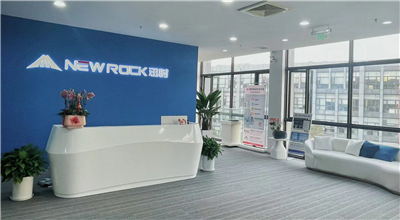
(New Rock Technologies, Inc.) is a new generation of intelligent communication equipment and solution provider. We provide future-oriented intelligent communication products and services to customers such as telecom operators, governments, enterprises, etc.
 Honor and Qualification
Since the establishment 19 years ago, New Rock has always taken R&D as our core mission and insisted on independent innovation. New Rock has more than 80 certificates and honors, with 19 years of industry brand recognition and influence, and is the common choice of many customers!
 Contact Us
New Rock has established a nationwide service system with Shanghai headquarters as the center and six branches or offices in Beijing, Guangzhou, Shenzhen, Shandong, Wuhan and Chengdu to provide customers with perfect pre-sales consultation and after-sales service.
 Online Message
Please leave your message for any needs, we will do our best to serve you!
 Become Partner
Welcome to become New Rock partner! Hand in hand together to build a bright future!
